










How to set up direct deposit

Have your paycheck, pension, Social Security, or other recurring income deposited directly into your Credit Human checking account. You'll also be automatically enrolled in Early Pay and may receive eligible direct deposits up to two days sooner.
Option 1

Set up or switch direct deposit online

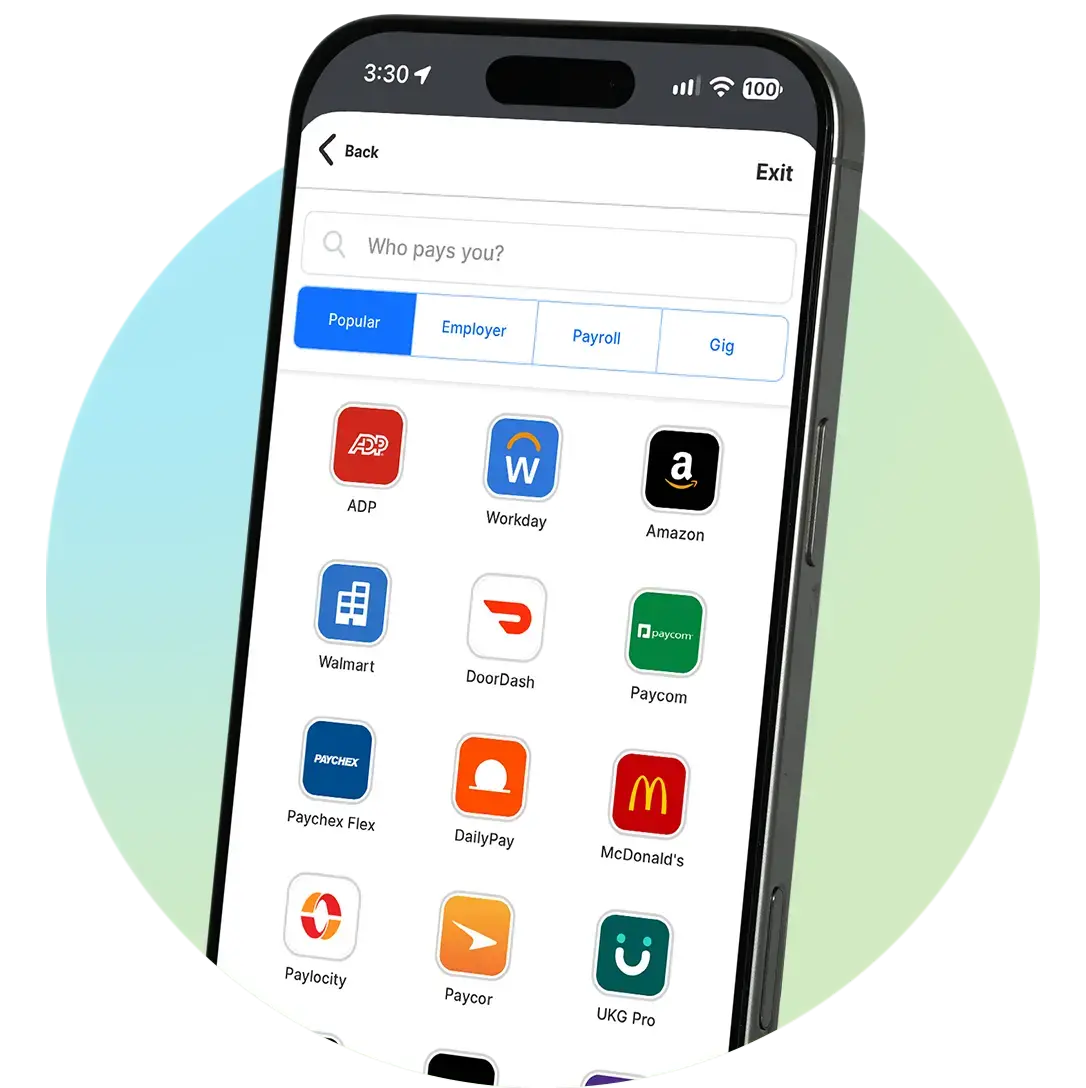
With our secure direct deposit tool, you can set up or switch your current direct deposit easily within digital banking. Simply follow the steps below.

  1. Select "Direct Deposit Switch" in digital banking.
  2. Search for your payment organization (payroll provider, government benefits, retirement income).
  3. Sign in securely to your payroll system or verify with the PreMatch tool.
  4. Select which account you’d like your paycheck deposited into.
  5. Choose whether you’d like a full or partial paycheck deposit. If you choose partial, you'll select how much as a specific dollar amount, percentage of paycheck or remainder after other allocations.
  6. Review and confirm.

Your direct deposit change typically takes effect within one to two pay cycles, depending on your payroll provider, benefits administrator or payment organization.
phone-mockup-pinwheel-circle
Option 2

Setting up direct deposit with your payment provider

If your payment issuer isn't available in our online direct deposit tool, you may be able to submit your account details directly to your employer.

Simply provide the following details to the organization that is paying you:

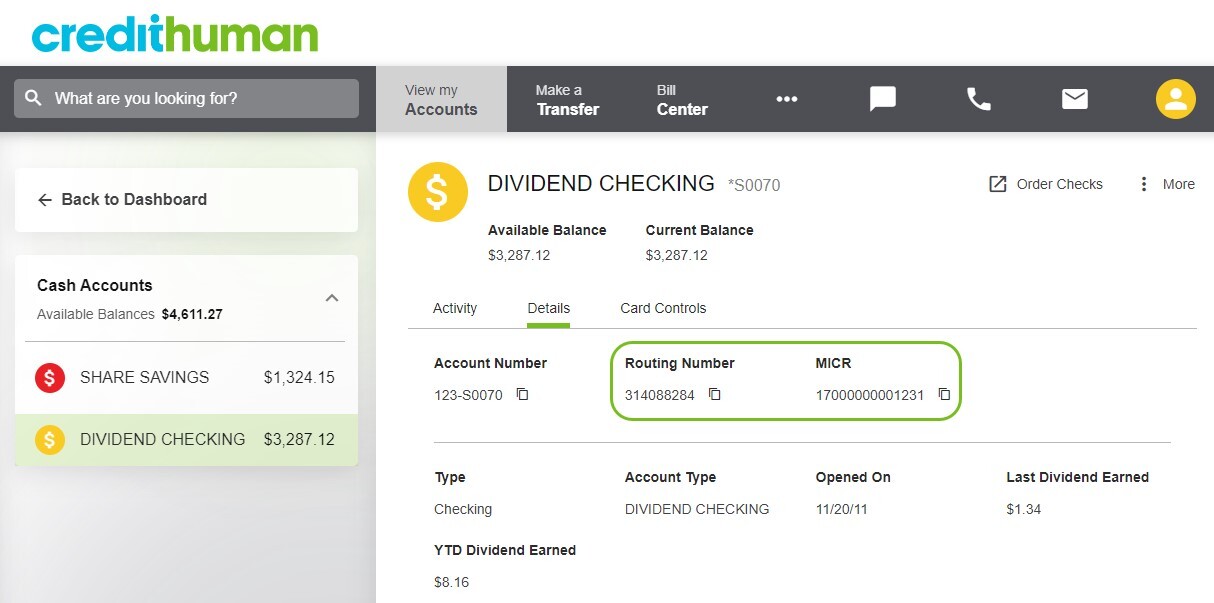
  • Credit Human routing number 314088284
  • Your 14-digit MICR number

You can find your MICR number in digital banking by selecting your checking account and clicking on details.

They may require that you use a particular form (such as a direct deposit form) or they may ask you to provide a voided check.

If your provider doesn't have a form, you can download, print and complete our form.
digital banking sample screen indicating placement of routing and MICR number placement
FAQ

Direct deposit frequently asked questions

What are my options for setting up direct deposit with Credit Human?

You can set up your direct deposit in 3 ways:

  1. Online through digital banking by following the steps above
  2. Directly through your payer by giving them your Credit Human Routing number: 314088264 and your 14-digit MICR number*, or by completing a direct deposit form and providing the form and/or void check to the organization paying you. They may require that you use a particular form or they may accept our form.

*You can find your MICR number in digital banking by selecting your checking account and clicking on "Details."

No matter which method you use to process your direct deposit switch, you'll need a checking, savings or money market account to receive the deposit.

 
Don't have a checking account yet?

Open a Credit Human checking account to take advantage of direct deposit and Early Pay benefits.

Open your first account
Add checking account
How easy is it to set up or switch direct deposit to my account?

Setting up or switching direct deposit is easy.  Most members can complete the process in just a few minutes using our digital direct deposit tool.

Whether you're setting up direct deposit for the first time or updating an existing direct deposit, the guided process walks you through each step.

If your payment provider supports digital updates, you can complete the change online without filling out paper forms.

Log in to set up direct deposit
Is my information secure?

Yes, your information is encrypted and used only to complete your direct deposit update.  We follow industry-standard security practices to help protect your personal information.

How long does it take for direct deposit to take effect?

Setting up direct deposit takes only a few minutes. Once submitted, direct deposit changes typically take effect within one to two payment cycles, depending on the processing schedule of the organization issuing your payments.