


Setting up direct deposit
To receive payments electronically, simply provide the following details to the organization that is paying you:
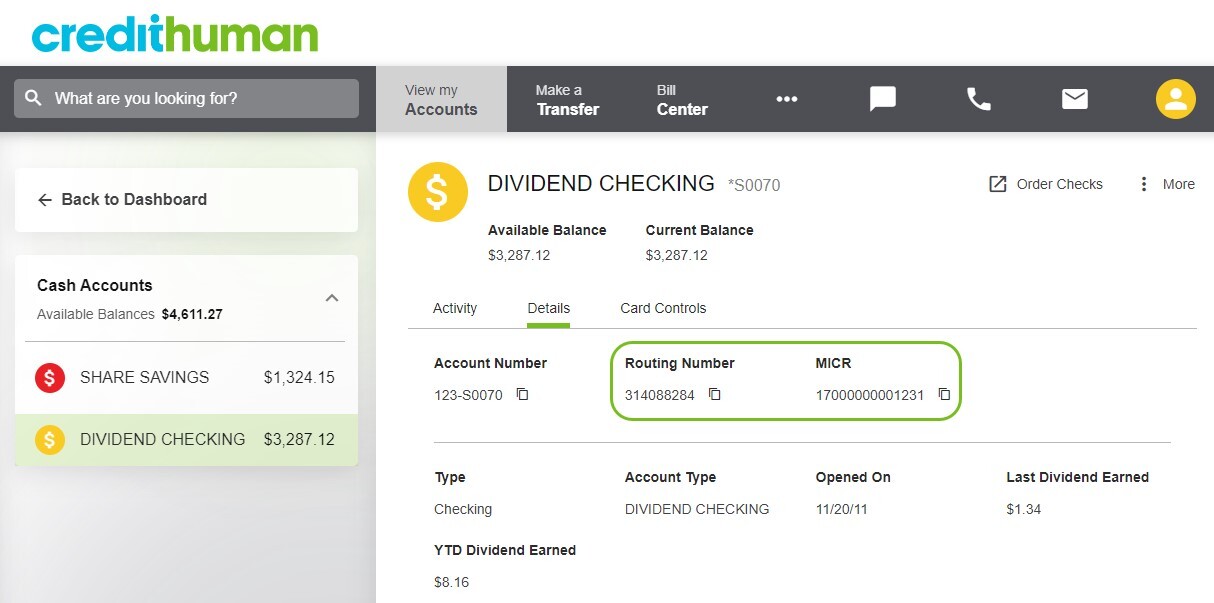
- Credit Human routing number 314088284
- Your 14-digit checking account number (MICR number)
You can find your account number in digital banking by selecting your checking account and clicking on details.
They may require that you use a particular form (such as a direct deposit form) or they may ask you to provide a voided check. In some cases, you'll need to provide your account information online.
What form do I need
In most cases your employer/organization will provide you with a form or ask that you submit your information electronically. If they require you to provide a direct deposit form, you can download, print and complete one using the button below. Provide a copy to your employer/organization.